West Bank offices will be closed on Thursday, January 1, 2026 in observance of New Year’s Day.

West Bank offices will be closed on Thursday, January 1, 2026 in observance of New Year’s Day.

West Bank offices will be closed on Thursday, January 1, 2026 in observance of New Year’s Day.

West Bank Logo
FDIC-Insured - Backed by the full faith and credit to the U.S. Government
West Bank Logo

Securing Home WiFi Devices

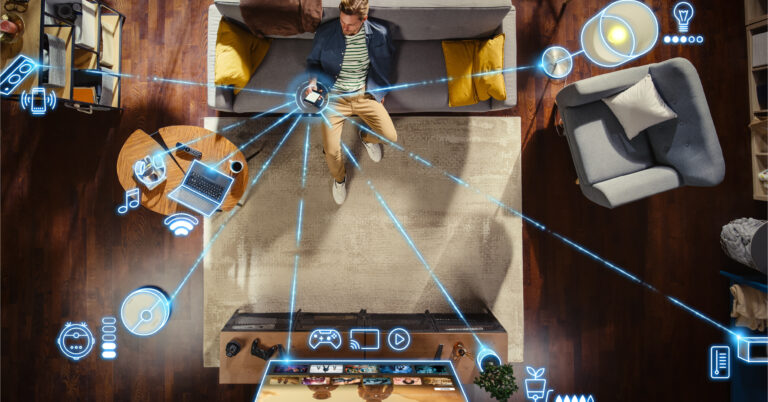
Man sitting on the couch on his smartphone with graphic lines connecting his phone to all of his devices connected to WiFi

It’s easy to forget the number of devices around the house that are connected to the internet. These devices allow us to see a package delivered at the front doorstep, turn on the lights with a simple voice command, or set the temperature of the house directly from a smartphone. With all these internet-connected devices, securing your home WiFi should be top of mind.

Is Your Router Secured?

Simply put, a modem connects your home to an Internet Service Provider. The router then distributes this connection to all your devices. Because all internet connections go through the router, it is important to ensure its security.

A default login and password are typically provided with the router along with the IP address, service set identifier (SSID), WiFi password, and account name. Implement these tips to better secure your network.

  1. Change the login and password of your router. The default information provided may be publicly available for bad actors to find. Use a unique passphrase instead of a password to make your router even more secure.
  2. Change the default SSID. The SSID is essentially the name of the WiFi network. If a criminal gains access to the default name, they may be able to gain more information about your network system. This new device name should not contain any personally identifiable information.
  3. Change your WiFi password. Changing the WiFi password adds another layer of defense against cyber threats.

The Cybersecurity & Infrastructure Security Agency lists more router security tips such as enabling encryption, performing system updates, and storing the device in a secure location.

Are Your Devices Protected?

After you secure your router, make a list of everything in your home that connects to the internet, like phones, laptops, smart TVs, and appliances. Your router is the first line of defense, but each device needs its own protection. Once you have identified each device, do the following.

  1. Change the default password and username. If the device came with a default password and username, change it to something unique. As a best practice, don’t reuse a password across multiple accounts or devices.
  2. Use two-factor authentication whenever possible. Devices secured with two-factor authentication offer more security. Common methods of two-factor authentication include SMS codes (texts) and authenticator apps.
  3. Regularly update your device. Check your devices regularly for any potential firmware updates. Keeping your devices up to date makes sure the most recent security updates and performance improvements are active.

Why It Matters

It may feel time-consuming and overwhelming to start the process of securing your home WiFi devices, but rest assured that it is better to be proactive than to find yourself a victim of a cyberattack. Securing your WiFi connection may feel like a small step, but it is critical when accessing sites that contain sensitive information such as your online banking. Take the time now to secure your home WiFi devices to keep your personal information protected.

Share This Article

Facebook
Twitter
LinkedIn

Account Login

Account Login

Choose Your Login: